
Rakuten: Cash Back and Deals
Rakuten RewardsShopping
3.325.08K Reviews
- Version
- 13.22.0
- Installs
- 10.00M
- Age Rating
- Mature 17+
Screenshots
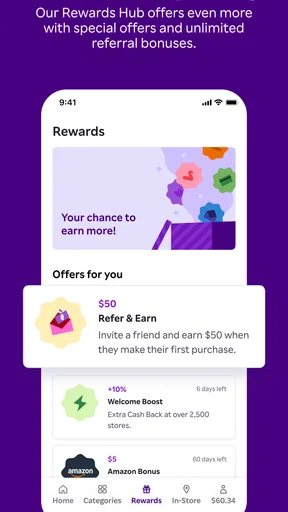
Our Review of Rakuten: Cash Back and Deals
 Analysis by Appyee
I started using Rakuten: Cash Back and Deals with a simple household goal: make routine online shopping a little more worthwhile without asking everyone at home to learn a complicated rewards system. That sounds modest, but it is exactly where this shopping app makes the most sense. It sits between the store you already intend to use and the checkout page, giving you a chance to earn Cash Back when you begin your purchase through its offers.
My experience was positive when I treated it as a shopping checkpoint rather than a reason to buy something. The difference matters. If I opened it before replacing household supplies, checking travel options, or ordering a gift, it could fit naturally into the process. If I browsed it just because I wanted to find a deal, it was easier to spend more than planned. That makes the app useful, but not automatic savings.
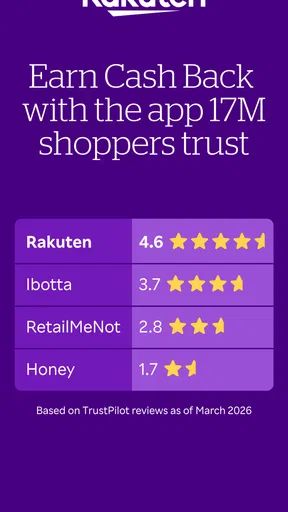
It is a free shopping app from Rakuten Rewards, with a 3.3 average from around 74 thousand ratings and more than 10 million installs. Those figures suggest a well-known service with a large audience, although the rating also hints that the experience is not equally smooth for everyone. I see it as a practical tool for organized shoppers, not a magic discount button.
How Rakuten fits into a shared household
When I think about using Rakuten in a shared household, I focus less on sharing a login and more on agreeing who is handling each purchase. A quick check-in before an order can prevent duplicate shopping and make it clear whose account started the retailer visit. That simple division of responsibility also sets up a useful next question: how can each person keep their own shopping routine clear without making household coordination feel like another chore?
A realistic shopping routine
Imagine that I am responsible for ordering cleaning products while another person in the household buys clothes and someone else handles birthday gifts. We could all use the same app as a starting point, but that does not mean we should treat one account as a shared wallet. The useful part is coordinating the shopping plan: one person can check whether a preferred retailer is listed, another can compare the offer with the store’s normal price, and the final buyer can decide whether the extra step is worth taking.
This approach avoids a common mistake. Cash Back is not the same as an instant reduction at checkout. The purchase still happens through the retailer, and the reward is connected to the qualifying shopping journey. I would therefore check the offer before opening the store, read its conditions carefully, and keep the order confirmation until the reward appears. That small habit is more valuable than repeatedly searching for the highest-looking percentage.
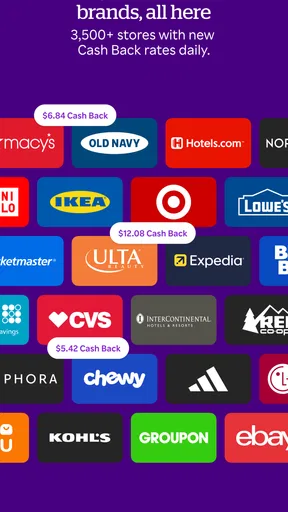
The app covers a broad range of shopping situations, since its store summary points to more than 3,500 stores. I would not interpret that as a promise that every shop I use will always have the best offer. It is better understood as a large directory to check before a planned purchase. For a household, that makes it especially useful when different people shop from different retailers rather than everyone buying from one favorite store.
Where the shared-device idea becomes complicated
A shared phone or tablet can make the app convenient, but it also creates account boundaries that deserve attention. I would avoid casually switching between different people’s accounts on the same device, especially when one person is shopping for personal items and another is handling household orders. Confused sign-ins, saved details, or uncertainty about which account began a purchase can make reward tracking harder to understand.
My preferred arrangement is simple: each adult uses their own account and keeps their own shopping history and reward activity separate. If a purchase is genuinely for the household, decide in advance whose account will handle it. That does not make the reward more valuable, but it makes later questions much easier to answer. It also prevents an informal family arrangement from turning into an argument about who earned what.
I would not give a child unsupervised access merely because the app is free. The content rating is Mature 17+, so the household context matters. A teenager who is old enough to use the service should still understand that the app leads into real shopping decisions and that Cash Back should never be treated as permission to spend. For younger children, I would keep the app under an adult’s control and use it only as part of a supervised purchase.
Coordination without pretending it is a family manager
One strength is that the app can become part of a shared shopping conversation without needing to run the household. Before placing an order, I might ask whether someone else is already buying from that retailer, whether the item is needed now, and whether the offer changes the choice. That is a better workflow than each person independently chasing deals.
There is an important limitation here: I would not use Rakuten as a family task board, shared budget, or central receipt archive. Its role is shopping and rewards. Household coordination still needs ordinary tools and ordinary communication. Keeping that boundary clear prevents disappointment and helps everyone understand what the app is actually doing.
A useful routine is to nominate one person for recurring household orders, then let other adults handle their own purchases separately. That reduces duplicate research and makes it less likely that two people will buy the same item simply because each saw a promising offer. For occasional purchases, the person who is already responsible for the order can check the app before checkout instead of transferring the task to whoever is most interested in deals.
What setup feels sensible
Getting started is straightforward in principle: install the app, create or access an account, browse the available retailers, and begin shopping from the relevant offer. The app was released on March 19, 2014, and the current version is 13.16.0, so it is a mature service rather than a brand-new experiment. It supports Android 8.0 and later, which is helpful for people keeping an older phone in use.
Even with a simple setup, I would establish a few rules before using it regularly. First, decide which account belongs to which person. Second, agree that the app is checked only for purchases already being considered. Third, keep order records until the reward is properly reflected. Finally, make sure everyone understands that retailer conditions can affect whether a purchase qualifies.
That last point is where many reward apps feel less effortless than their descriptions suggest. An offer can have exclusions, special requirements, or conditions that are easy to overlook when I am eager to finish an order. I would not place a purchase solely because the app presents it attractively. I compare the final price, delivery terms, return policy, and convenience with the normal retailer route.
The best workflow for planned purchases
My strongest recommendation is to use the app before the shopping session, not halfway through it. If I already have the product, retailer, and approximate budget in mind, I can inspect the offer with a clear purpose. I then open the store through the app and avoid unnecessary detours. This reduces the temptation to turn a useful check into a long browsing session.
For a larger purchase, I would take an extra minute to read the offer details and note any restrictions before committing. For a small routine order, the time spent checking may not feel worthwhile if the reward is tiny or the store’s regular price is better elsewhere. That is one of the most important trade-offs: the app can improve a purchase, but the value depends on the size and importance of the order.
I also prefer comparing the complete basket rather than focusing on one advertised reward. A higher Cash Back opportunity can lose its advantage if another retailer has a lower base price, cheaper delivery, or a more convenient return process. In my view, Rakuten is most effective as the final comparison step after I have already narrowed down the purchase.
Trust, privacy, and the age context
Because this is a shopping app, trust is not only about whether an offer looks appealing. It is also about being comfortable with the account relationship, the retailer journey, and the information involved in completing a purchase. I would read the app’s current permissions and privacy explanations myself before installing it on a shared device, then make sure other adults know which account is active.
I would also keep personal shopping separate from household shopping when possible. A shared device does not need to become a shared identity. Separate accounts make it easier to distinguish personal purchases, household orders, and reward activity. They also reduce the chance that someone accidentally continues a shopping session started by another person.
The Mature 17+ rating is a useful reminder that this is not a child-focused rewards game. The app encourages real commercial activity, and its value depends on responsible spending. For an older teenager, I would discuss budgets and the difference between earning a reward and saving money. For a younger child, I would not treat access as harmless entertainment.
That age context also changes how I would recommend the app to a family. Adults who already shop online and can follow offer conditions are the natural audience. A household that wants a simple, supervised purchasing routine may appreciate it. A household looking for child accounts, parental controls, or a shared allowance system should choose a different kind of product rather than expecting Rakuten to provide those functions.
How it compares with ordinary shopping habits
The main alternative is doing nothing: open the retailer directly, place the order, and move on. That remains better when the purchase is urgent, the offer is unclear, or the app adds too much friction. Rakuten earns its place when I have enough time to check the route and when the retailer’s offer is competitive with the alternatives.
Another alternative is using a retailer’s own loyalty program or a credit card reward. Those options can be simpler because they are already tied to the store or payment method. Rakuten is more flexible when a household buys from many different retailers, but it adds another step and another account to manage. I would compare the total benefit instead of assuming that stacking every reward system is always worthwhile.
Coupon extensions and price-comparison tools can also be better for someone whose main goal is the lowest immediate checkout price. Rakuten’s appeal is different: it encourages me to begin shopping through its service and earn a reward afterward. That is convenient for planned purchases, but it is not a replacement for checking the final price or searching for a direct coupon.
For shared household use, I prefer Rakuten over an informal arrangement where everyone passes one login around. I prefer separate accounts with clear responsibilities over a single account that mixes personal and family shopping. And for a person who rarely shops online, I would probably skip the extra routine altogether unless a specific planned purchase makes the check worthwhile.
Small habits that improve the experience
The first habit is to use the app as a pre-purchase reminder. I open it before visiting the retailer, not after the order is already in progress. This is a simple distinction, but it protects the shopping path and keeps the decision deliberate.
The second is to judge the reward against the entire order. I look at the item price, shipping, return convenience, and delivery timing before I consider Cash Back. A reward is useful only when the underlying purchase is sensible. This is especially important for household supplies, where a slightly cheaper ordinary option can matter more than a promotional reward.
The third is to keep a basic record for important orders. I save the confirmation email and note which person made the purchase and which account was used. I do not need an elaborate spreadsheet for every small order, but that record can be valuable when several adults share a device or when a purchase is expensive enough that everyone wants clarity.
The fourth is to avoid treating the app’s offers as a shopping list. I browse only after identifying a need. This protects the household budget and makes the rewards feel like a bonus on planned spending rather than a reason to create new spending.
The fifth is to review the app’s current offer details each time instead of relying on memory. Retailer conditions can change, and an offer that worked for one kind of order may not apply to another. I would rather spend a moment checking than assume that every purchase from the same store qualifies in the same way.
Who will appreciate it, and who should pass
I think the app is a good match for adults who shop online regularly, use several retailers, and are willing to add one checkpoint before checkout. It is also useful for households where one organized person handles recurring purchases while other adults keep their personal shopping separate. The large retailer selection gives that arrangement room to work across different shopping habits.
I would be more cautious recommending it to someone who wants instant discounts, hates account management, or makes most purchases in a hurry. It may also be the wrong fit for people who already receive better value through a retailer loyalty scheme, a direct coupon, or another reward arrangement they use consistently. In those cases, the extra step can be more annoying than helpful.
People under the Mature 17+ age context should not be treated as the primary audience, and parents should not assume that a shared device makes supervision automatic. The app is about real shopping, not a controlled family activity. Adults should set the boundaries, especially when payment decisions and personal accounts are involved.
My household verdict
After using it as a deliberate shopping checkpoint, I see Rakuten: Cash Back and Deals as a useful companion for planned online purchases, particularly in a household that shops from many retailers. Its biggest strength is not that it eliminates the need to compare prices; it is that it can add a reward to a purchase I was already going to make.
Its weaknesses are equally practical. The value depends on following the correct shopping path, understanding offer conditions, and resisting the urge to buy merely because a deal is visible. Shared-device use also requires discipline: separate account identities, a clear person responsible for each order, and no assumption that the app is a family-management tool.
Rakuten Rewards has developed the app into a recognizable shopping service, and its free price makes trying it low-risk for an eligible adult. Still, I would judge it order by order. If the retailer, total price, and conditions all make sense, I would check the app before buying. If the purchase is urgent or the reward complicates an otherwise good deal, I would shop normally and move on.
That is why my recommendation is positive but measured. Use it to improve planned shopping, not to justify extra shopping. With separate household boundaries and a quick comparison of the final cost, it can quietly return value without taking over the way your household buys things.
Privacy and Permissions
See what permissions an app requests and how it handles your data.
- Location
- approximate location (network-based), precise location (GPS and network-based)
- Phone
- read phone status and identity
- Photos/Media/Files
- read the contents of your USB storage
- Storage
- read the contents of your USB storage
- Wi-Fi connection information
- view Wi-Fi connections
- Device ID & call information
- read phone status and identity
- Other
- view network connections, full network access, run at startup, reorder running apps, use accounts on the device, control vibration, prevent device from sleeping, Google Play license check
Verdict
Strengths of Rakuten: Cash Back and Deals
- Cash back is available from many well-known retailers and brands.
- The app regularly offers boosted cash-back rates and limited-time promotions.
- A browser extension helps users avoid missing eligible shopping offers.
- Rewards can be combined with retailer discounts, coupons, or promo codes.
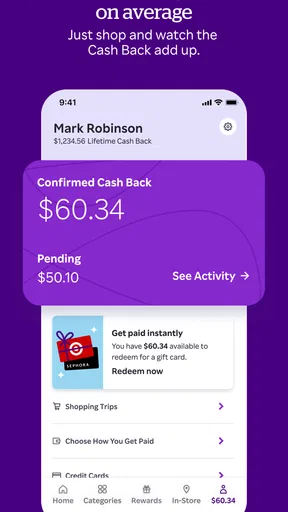
- The interface makes it easy to track pending and confirmed cash-back earnings.
Limitations of Rakuten: Cash Back and Deals
- Cash back may take weeks or months to become payable.
- Some purchases are excluded or require strict offer conditions.
- Tracking can fail if cookies, ad blockers, or other shopping extensions interfere.
- Minimum withdrawal requirements may apply depending on the selected payout method.
- Frequent notifications and promotional emails can feel excessive.
Similar Picks in This Category
View All
SHEIN-Shopping Online
Roadget Business PTE. LTD.4.8

Amazon Shopping
Amazon Mobile LLC4.4


Mercado Libre: Compras online
Mercado Libre4.8

Wish: Shop and Save
Wish US Holdings LLC4.7

Alibaba.com - B2B marketplace
Alibaba Mobile4.4
Frequently Asked Questions
What is Rakuten: Cash Back and Deals, and how does it work?
Rakuten is a shopping rewards app that lets you earn cash back when you begin your purchase through the app or its partner website links. After selecting a participating retailer, you shop as usual, and Rakuten tracks the transaction through the referral. Once the purchase is confirmed and any return period has passed, the eligible cash-back amount is added to your account.
Which stores and purchases are eligible for cash back on Rakuten?
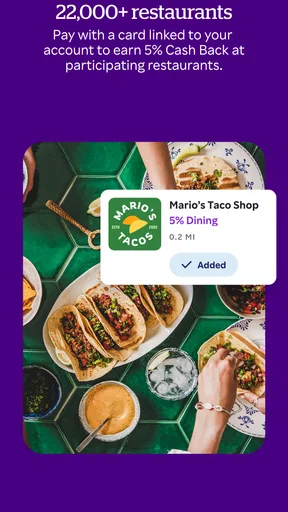
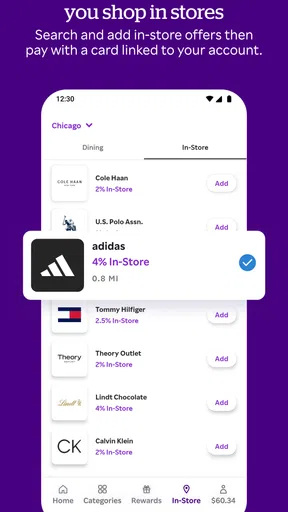
Rakuten works with a large selection of online retailers, travel services, restaurants, and other shopping partners, but eligibility depends on the current offer and the merchant’s terms. Some products, brands, gift cards, shipping charges, taxes, subscriptions, or promotional codes may be excluded. Before checking out, review the store details in the app so you understand the qualifying conditions.
How and when do I receive my Rakuten cash-back payments?
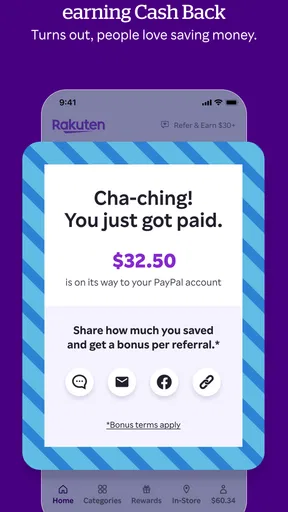
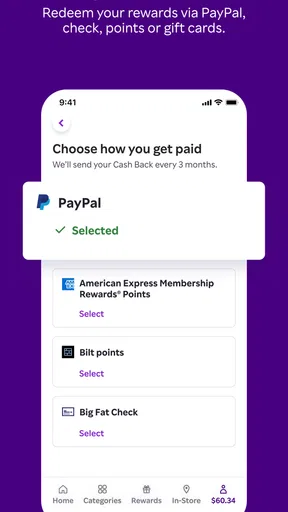
Rakuten generally sends payments through options such as PayPal or a mailed check, depending on the account and region. Cash back is not always available immediately because the retailer must confirm the transaction and allow time for cancellations or returns. Payment schedules and minimum requirements can change, so check the app’s payment section for the latest information.
Why is my cash back missing or still showing as pending?
A purchase may remain pending while Rakuten waits for the retailer to verify it. Cash back can also be delayed or rejected if tracking was interrupted, an excluded coupon was used, the order was returned, or the purchase was completed outside the tracked session. If the transaction does not appear after the expected period, use Rakuten’s missing-cash-back support form and provide your order details.
Is Rakuten free to use, and are there any important privacy or account considerations?
Rakuten is generally free to download and use, and its main purpose is to provide shopping rewards rather than charge a membership fee. However, the app may use account, browsing, purchase, and device information to track referrals, personalize offers, and process rewards. Review the permissions, privacy policy, and retailer terms before signing up, and remember that earning cash back should not encourage unnecessary purchases.
